
Building a Real-Time Notification System — WebSockets vs SSE vs Polling in NestJS
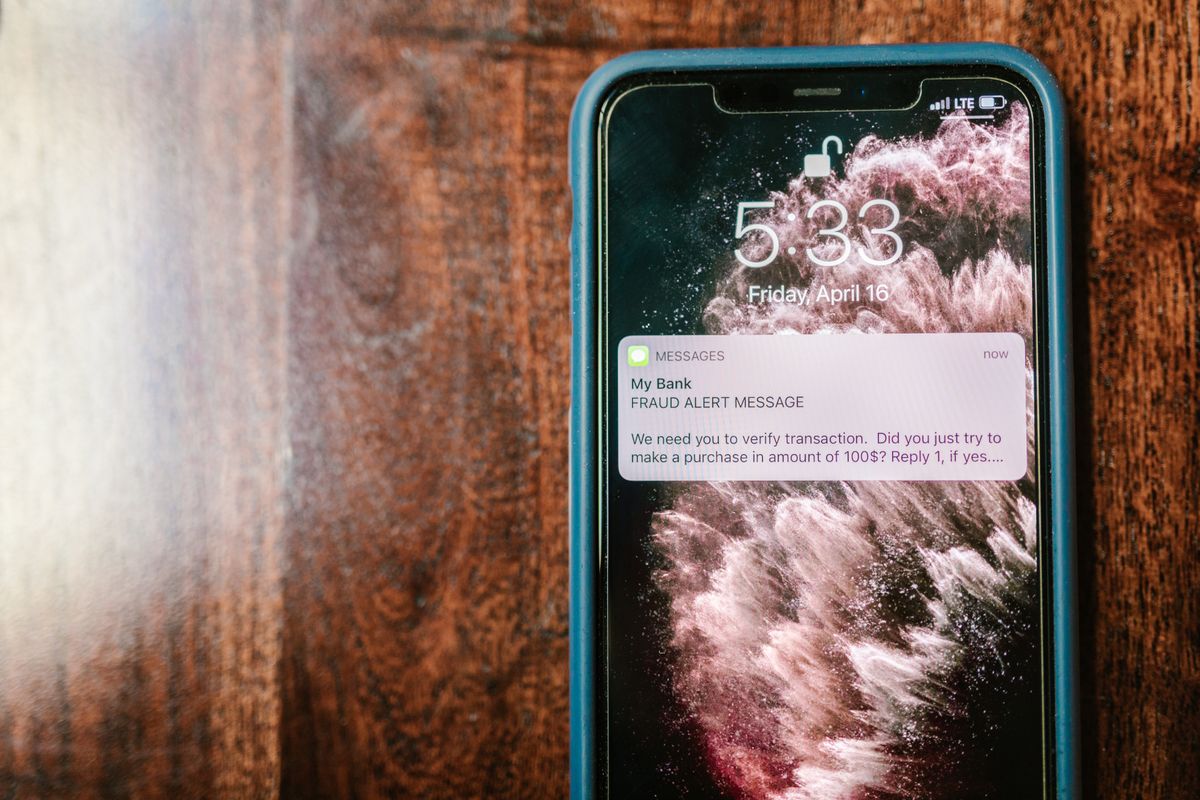
Most SaaS teams decide they need "real-time notifications" and reach for WebSockets — because WebSockets are what "real-time" means, right? You install Socket.io, set up a gateway, write a bit of client code, and somewhere in the middle of that you realise a one-way notification stream doesn't actually need a bidirectional protocol.
We have built real-time notifications into enough SaaS products to have strong opinions about which transport to reach for and when. This post covers all three approaches — polling, SSE, and WebSockets — with production NestJS implementations and a decision framework that will save you from installing Socket.io for a feature that could have been a 40-line SSE endpoint.
If your current approach to "real-time" is "Socket.io by default" — this post is for you.

When You Actually Need Real-Time Notifications (Not Every SaaS Does)
Before picking a transport, ask whether you actually need real-time at all. A lot of "real-time dashboards" refresh every five seconds via a setInterval fetch, and that is fine. The business does not collapse because a notification arrived 2.4 seconds late instead of 400 milliseconds late. What collapses is your engineering time if you over-engineer the transport layer for a use case that polling handles adequately. Plenty of features labelled "real-time notifications" do not actually need a live connection at all.
The question is: how fast do users need to see the update?
- Seconds to minutes — polling is fine. Status updates, report completions, periodic sync events.
- Near-instant one-way — SSE. Notification banners, live scoreboards, feed updates the server pushes.
- Bidirectional, sub-second — WebSockets. Chat, collaborative editing, live cursors, real-time trading.
Most SaaS notification features fall into the first two buckets. Start there.
Approach 1: Polling — Simpler Than You Think
Polling gets a bad reputation because the worst examples are bad — sub-second intervals that hammer the server, or naive implementations that fire a request on every component mount. Done right, polling is the most reliable transport in your stack. It runs over standard HTTP, has no persistent connection to manage, and works through proxies, firewalls, and load balancers without any special configuration.
1// notifications.service.ts
2import { Injectable } from "@nestjs/common"
3import { InjectRepository } from "@nestjs/typeorm"
4import { Repository } from "typeorm"
5import { Notification } from "./notification.entity"
6
7@Injectable()
8export class NotificationsService {
9  constructor(
10    @InjectRepository(Notification)
11    private readonly repo: Repository<Notification>
12  ) {}
13
14  async getUnreadForUser(userId: string): Promise<Notification[]> {
15    return this.repo.find({
16      where: { userId, read: false },
17      order: { createdAt: "DESC" },
18      take: 50,
19    })
20  }
21
22  async markAsRead(ids: string[]): Promise<void> {
23    await this.repo.update(ids, { read: true })
24  }
25}1// notifications.controller.ts
2import { Controller, Get, Param, Patch, Body } from "@nestjs/common"
3
4@Controller("notifications")
5export class NotificationsController {
6 constructor(private readonly service: NotificationsService) {}
7
8 @Get("unread/:userId")
9 async getUnread(@Param("userId") userId: string) {
10 return this.service.getUnreadForUser(userId)
11 }
12
13 @Patch("read")
14 async markRead(@Body() body: { ids: string[] }) {
15 await this.service.markAsRead(body.ids)
16 }
17}On the frontend, poll at a reasonable interval — 15 to 30 seconds for most notification use cases:
1// polls every 20 seconds
2export function useNotificationPoll(userId: string) {
3  const [notifications, setNotifications] = useState<Notification[]>([])
4
5  useEffect(() => {
6    const poll = async () => {
7      const res = await fetch(`/api/notifications/unread/${userId}`)
8      const data = await res.json()
9      setNotifications(data)
10    }
11    poll()
12    const interval = setInterval(poll, 20000)
13    return () => clearInterval(interval)
14  }, [userId])
15}
Twenty seconds is not "real-time" in the marketing sense. It is real-time enough for a notification bell that shows a badge count, and it costs almost nothing in infrastructure or maintenance.

Approach 2: Server-Sent Events — Underrated for One-Way Notifications
SSE is the most underused transport in the SaaS stack. It is standard HTTP. The browser handles reconnection automatically. It works through any proxy that passes HTTP. It is unidirectional — server pushes to client — which is exactly the pattern most notifications need.
1// notifications.controller.ts
2import { Controller, Sse, Param } from "@nestjs/common"
3import { Observable, Subject } from "rxjs"
4import { map } from "rxjs/operators"
5
6@Controller("notifications")
7export class NotificationsController {
8  // In production, inject a shared service that holds per-user subjects
9  private userSubjects = new Map<string, Subject<MessageEvent>>()
10
11  @Sse("stream/:userId")
12  stream(@Param("userId") userId: string): Observable<MessageEvent> {
13    if (!this.userSubjects.has(userId)) {
14      this.userSubjects.set(userId, new Subject<MessageEvent>())
15    }
16    return this.userSubjects.get(userId)!.asObservable()
17  }
18
19  // Called when a new notification is created
20  emitToUser(userId: string, data: any) {
21    const subject = this.userSubjects.get(userId)
22    if (subject) {
23      subject.next({ data: JSON.stringify(data) })
24    }
25  }
26}
The @Sse() decorator in NestJS takes a route and returns an Observable of MessageEvent objects. The client connects using the standard EventSource API — no library required:
1// client-side
2export function useNotificationStream(userId: string) {
3  const [notifications, setNotifications] = useState<Notification[]>([])
4
5  useEffect(() => {
6    const source = new EventSource(`/api/notifications/stream/${userId}`)
7
8    source.onmessage = (event) => {
9      const notification = JSON.parse(event.data)
10      setNotifications((prev) => [notification, ...prev])
11    }
12
13    source.onerror = () => {
14      // EventSource reconnects automatically — this fires and recovers
15      console.warn("SSE connection lost, reconnecting...")
16    }
17
18    return () => source.close()
19  }, [userId])
20}
SSE gives you push-based delivery without the complexity of a WebSocket handshake, a protocol upgrade, or a library. The browser reconnects on its own if the connection drops. You can multiplex multiple SSE streams over a single HTTP/2 connection.
(If you are reading this thinking "but what about sending data back to the server?" — that is what POST requests are for. Bidirectional communication is not the same thing as real-time server-to-client delivery.)
Approach 3: WebSockets With Socket.io in NestJS
When you actually need bidirectional communication — chat, collaborative editing, live cursor positions — WebSockets are the right tool. NestJS has first-class support through the @nestjs/websockets package with Socket.io.
1// notifications.gateway.ts
2import {
3  WebSocketGateway,
4  WebSocketServer,
5  SubscribeMessage,
6  OnGatewayConnection,
7  OnGatewayDisconnect,
8} from "@nestjs/websockets"
9import { Server, Socket } from "socket.io"
10
11@WebSocketGateway({
12  cors: { origin: process.env.CLIENT_URL },
13  namespace: "/notifications",
14})
15export class NotificationsGateway
16  implements OnGatewayConnection, OnGatewayDisconnect
17{
18  @WebSocketServer()
19  server: Server
20
21  private connectedUsers = new Map<string, string>() // userId -> socketId
22
23  handleConnection(client: Socket) {
24    const userId = client.handshake.query.userId as string
25    if (userId) {
26      this.connectedUsers.set(userId, client.id)
27      client.join(`user:${userId}`)
28    }
29  }
30
31  handleDisconnect(client: Socket) {
32    const userId = client.handshake.query.userId as string
33    if (userId) {
34      this.connectedUsers.delete(userId)
35    }
36  }
37
38  @SubscribeMessage("mark-read")
39  handleMarkRead(client: Socket, ids: string[]) {
40    // update database
41    client.emit("marked", { ids })
42  }
43
44  sendToUser(userId: string, payload: any) {
45    this.server.to(`user:${userId}`).emit("notification", payload)
46  }
47}1// notifications.module.ts
2import { Module } from "@nestjs/common"
3import { NotificationsGateway } from "./notifications.gateway"
4import { NotificationsService } from "./notifications.service"
5
6@Module({
7 providers: [NotificationsGateway, NotificationsService],
8})
9export class NotificationsModule {}The client connects with the Socket.io client library:
1import { io, Socket } from "socket.io-client"
2
3export function useSocketIO(userId: string) {
4  const [socket, setSocket] = useState<Socket | null>(null)
5
6  useEffect(() => {
7    const s = io(`${process.env.NEXT_PUBLIC_API_URL}/notifications`, {
8      query: { userId },
9    })
10
11    s.on("notification", (data) => {
12      console.log("received:", data)
13    })
14
15    setSocket(s)
16    return () => { s.disconnect() }
17  }, [userId])
18
19  return socket
20}
WebSockets require more infrastructure than SSE — you need to manage reconnection manually, handle socket.io client versioning, and configure CORS and namespaces. The tradeoff is worth it when you need two-way communication, but it is a higher maintenance surface than a plain HTTP streaming endpoint.

Scaling WebSockets Beyond One Server
The problem with Socket.io on multiple servers is that a user connected to instance A cannot receive events emitted on instance B. The fix is the Socket.io Redis adapter, which shares connection state across instances via Redis pub/sub.
1import { IoAdapter } from "@nestjs/platform-socket.io"
2import { createAdapter } from "@socket.io/redis-adapter"
3import { createClient } from "redis"
4
5export class RedisIoAdapter extends IoAdapter {
6  private adapterConstructor: ReturnType<typeof createAdapter>
7
8  async connectToRedis(): Promise<void> {
9    const pubClient = createClient({ url: process.env.REDIS_URL })
10    const subClient = pubClient.duplicate()
11
12    await Promise.all([pubClient.connect(), subClient.connect()])
13
14    this.adapterConstructor = createAdapter(pubClient, subClient)
15  }
16
17  createIOServer(port: number, options?: any): any {
18    const server = super.createIOServer(port, options)
19    server.adapter(this.adapterConstructor)
20    return server
21  }
22}1// main.ts
2import { RedisIoAdapter } from "./redis-io.adapter"
3
4async function bootstrap() {
5 const app = await NestFactory.create(AppModule)
6 // RedisIoAdapter is constructed with the app instance, not resolved from DI
7 const redisAdapter = new RedisIoAdapter(app)
8 await redisAdapter.connectToRedis()
9 app.useWebSocketAdapter(redisAdapter)
10 await app.listen(3000)
11}With the Redis adapter in place, you can scale to as many NestJS instances as you need. The Socket.io docs also support a cluster adapter using native Node.js cluster if you want to stay in-process, but Redis is the standard approach for production deployments across separate machines.
Notification Persistence for Offline Users
Real-time notifications only reach the clients that are currently connected. If the user closes their browser at 2pm and a notification arrives at 2:05pm, they never see it unless you persist notifications in the database and deliver them on reconnect.
1// notification.entity.ts
2import { Entity, PrimaryGeneratedColumn, Column, CreateDateColumn } from "typeorm"
3
4@Entity()
5export class Notification {
6  @PrimaryGeneratedColumn("uuid")
7  id: string
8
9  @Column()
10  userId: string
11
12  @Column()
13  title: string
14
15  @Column({ nullable: true })
16  body: string
17
18  @Column({ default: false })
19  read: boolean
20
21  @CreateDateColumn()
22  createdAt: Date
23}
When a user connects (whether via SSE, WebSocket, or poll), send any unread notifications they missed. The hook looks the same regardless of transport:
1export function useNotifications(userId: string) {
2  // fetch missed notifications on mount, then switch to SSE stream
3  useEffect(() => {
4    fetch(`/api/notifications/unread/${userId}`)
5      .then((r) => r.json())
6      .then(setNotifications)
7
8    const source = new EventSource(`/api/notifications/stream/${userId}`)
9    source.onmessage = (event) => {
10      const n = JSON.parse(event.data)
11      setNotifications((prev) => [n, ...prev])
12    }
13    return () => source.close()
14  }, [userId])
15}
The pattern: fetch missed notifications on mount, then subscribe to the real-time stream for new ones. This gives you the best of both — missed coverage and instant delivery.
Notification UI Component in Next.js
1"use client"
2
3import { useState } from "react"
4
5interface Notification {
6  id: string
7  title: string
8  body?: string
9  read: boolean
10  createdAt: string
11}
12
13export function NotificationBell({ userId }: { userId: string }) {
14  const [open, setOpen] = useState(false)
15  const [notifications, setNotifications] = useState<Notification[]>([])
16
17  // SSE setup from earlier example would go here
18  const unreadCount = notifications.filter((n) => !n.read).length
19
20  return (
21    <div className="relative">
22      <button onClick={() => setOpen(!open)} className="relative p-2">
23        <BellIcon />
24        {unreadCount > 0 && (
25          <span className="absolute -top-1 -right-1 bg-red-500 text-white text-xs rounded-full w-5 h-5 flex items-center justify-center">
26            {unreadCount}
27          </span>
28        )}
29      </button>
30
31      {open && (
32        <div className="absolute right-0 mt-2 w-80 bg-white shadow-lg rounded-lg border">
33          <div className="p-3 font-semibold border-b">Notifications</div>
34          {notifications.length === 0 && (
35            <div className="p-6 text-center text-gray-400 text-sm">
36              No notifications yet
37            </div>
38          )}
39          {notifications.map((n) => (
40            <div key={n.id} className="p-3 border-b hover:bg-gray-50">
41              <div className="font-medium text-sm">{n.title}</div>
42              {n.body && <div className="text-gray-500 text-xs">{n.body}</div>}
43              <div className="text-gray-400 text-xs mt-1">
44                {new Date(n.createdAt).toLocaleDateString()}
45              </div>
46            </div>
47          ))}
48        </div>
49      )}
50    </div>
51  )
52}
Keep it simple. A bell icon with a badge count, a dropdown panel with the list, and a "mark as read" interaction. The complexity lives in the transport layer, not the UI.
Decision Framework
| Condition | Recommended Transport |
|---|---|
| Updates every 15+ seconds, read-only | Polling |
| Server-to-client only, near-instant | SSE |
| Bidirectional, sub-second latency | WebSockets |
| Single server, < 1k concurrent connections | SSE or WebSockets, whichever fits |
| Multiple server instances, need scaling | WebSockets + Redis adapter |
| Users close browser between notifications | Any + database persistence |
Start with polling. Move to SSE when polling latency becomes noticeable. Move to WebSockets only when you need bidirectional communication. Each step up the stack adds infrastructure complexity. Do not pay the complexity tax before you need the feature.
For more on NestJS event-driven patterns, see our guide on event-driven architecture in NestJS. And for the dashboard where these notifications appear, our SaaS dashboard architecture guide covers the full layout.
The NestJS SSE documentation covers the @Sse decorator API. The Socket.io Redis adapter docs explain the scaling setup in detail.
The irony is that most SaaS notification systems end up being polling dressed up as real-time, and that is perfectly fine. The dashboard that polls every 20 seconds is not "less real-time" than the one running WebSockets — it is just more maintainable. Pick the simplest transport that meets your latency requirement. Your future self, debugging a production issue at 3am, will thank you — and they will probably be polling anyway.
Frequently Asked Questions
WebSockets provide full-duplex bidirectional communication over a single TCP connection, making them ideal for chat apps and collaborative editing. SSE (Server-Sent Events) is unidirectional — the server pushes data to the client over standard HTTP. SSE is simpler to implement, automatically reconnects, and works over HTTP/2 multiplexing, but cannot send data from the client to the server.
Use polling when updates are infrequent (every 30 seconds or more), when the data is read-only and non-critical, or when you need the simplest possible implementation. Polling with proper intervals (not sub-second) is perfectly fine for low-frequency notifications and avoids the complexity of maintaining persistent connections.
Use the Socket.io Redis adapter to share connection state across instances. Install @socket.io/redis-adapter with ioredis, and configure it in your NestJS WebSocket gateway. This lets any server instance emit events to clients connected to any other instance, enabling horizontal scaling.
Yes. Store notifications in a database table with a foreign key to the user. When a user connects, send any unread notifications they missed while offline. Use a 'read' boolean column to track delivery state. This is essential for any real-time system where users close the browser between notifications.
Yes. SSE works over HTTP/2, which means multiple SSE streams can share a single TCP connection without the browser's per-domain connection limit becoming a problem. This makes SSE much more practical for SaaS dashboards than many developers assume.
