
SaaS Feature Flags — Building a Simple Feature Toggle System Without Third-Party Services

We renamed a field once. Thought it was housekeeping — cleaning up an internal name that nobody outside the team would notice. It broke a client's integration at 2am, because to them our "housekeeping" was a contract change they never agreed to. That's the night we learned that feature flags are not a nice-to-have; they are the difference between a 3-second toggle and a 30-minute hotfix at an hour when nobody wants to be writing hotfixes.
Every SaaS eventually needs feature flags. The question is whether you pay for LaunchDarkly or build one yourself.
Here is the full saas feature flags implementation, built from scratch with NestJS, Redis, and Next.js — no third-party service required. The code is production-ready, the cache invalidation is handled, and the admin UI takes about an hour to wire up.

What Feature Flags Actually Enable
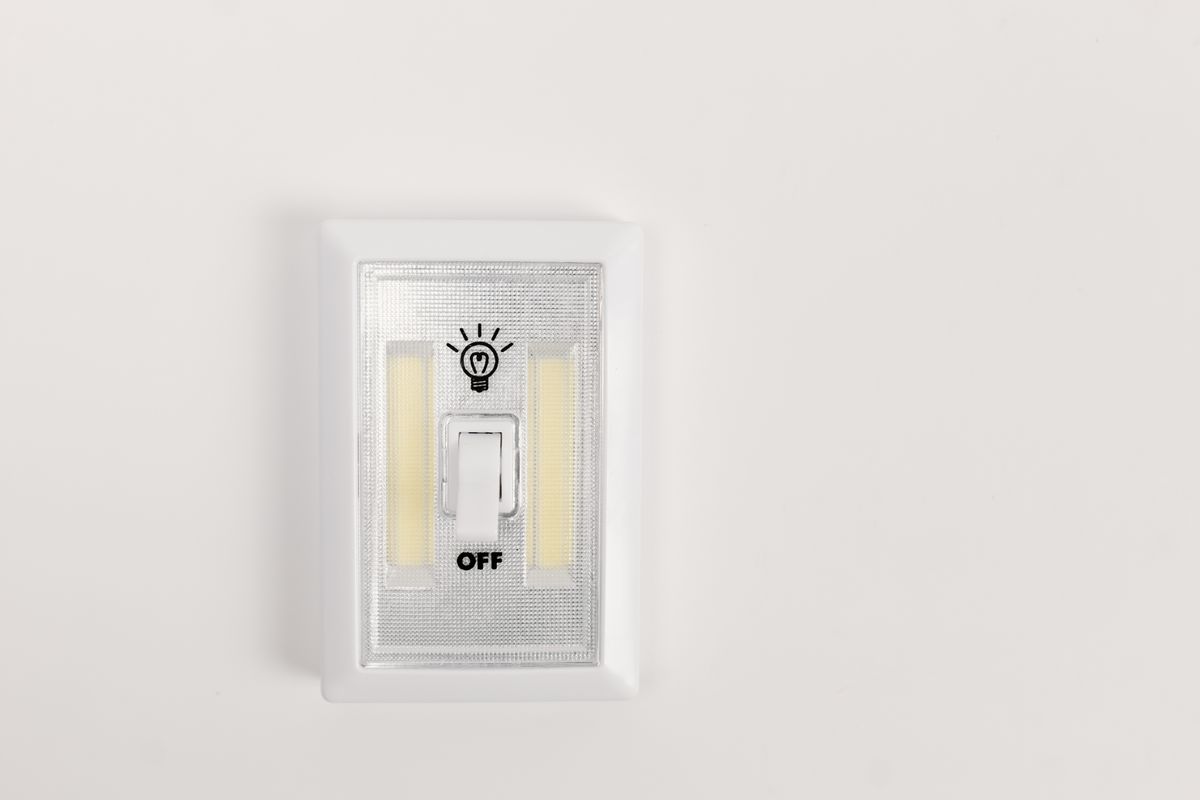
There are four distinct use cases, and conflating them is where most implementations go wrong:
Release Flags
You merged the new billing UI to main, but it is not ready for everyone yet. A release flag keeps it dark while you finish testing. Short-lived — removed within days of full rollout.
Experiment Flags
You want to test two onboarding flows. An experiment flag splits traffic and measures which variant converts better. Lives as long as the experiment runs.
Ops Flags (Kill Switches)
Your email provider is having an outage. A kill switch disables email sending instantly and queues messages for later. Permanent. Every third-party integration should have one.
Permission Flags
Pro users get advanced analytics; Free users do not. A permission flag gates features by subscription tier. Also permanent, and directly tied to your billing system.
Why You Do Not Always Need LaunchDarkly
LaunchDarkly is a great product. It is also expensive for what most early-stage SaaS teams actually need.
If you have 5 active flags, zero A/B tests running, and one engineer who can spend an afternoon wiring up a database table and an admin panel — the third-party service is overhead, not leverage. You are paying $100+ a month for a feature you can build in a few hours.
That SaaS feature flags implementation you are considering buying? The core of it is a database table, a caching layer, and an API endpoint. We have built this pattern into multiple client projects, and the engineering time is always under a day.
(There is a point where LaunchDarkly earns its keep: advanced targeting rules, real-time streaming to millions of users, non-engineers managing flags in a dashboard. If you are there, you know it. If you are not there yet, build your own.)
SaaS Feature Flags Implementation: The Database Schema
The database table is the foundation of the whole SaaS feature flags implementation — this schema handles all four flag types in one table:
1// prisma/schema.prisma
2model FeatureFlag {
3  id              String   @id @default(cuid())
4  name            String   @unique             // e.g. "new-checkout-flow"
5  description     String?                       // what this flag controls
6  enabled         Boolean  @default(false)      // master switch
7  rolloutPercent  Int      @default(0)          // 0 to 100
8  enabledForUsers String[] @default([])         // explicit user IDs
9  enabledForTiers String[] @default([])         // e.g. ["pro", "enterprise"]
10  createdAt       DateTime @default(now())
11  updatedAt       DateTime @updatedAt
12}
Key decisions in this schema:
- rolloutPercent enables gradual rollouts with deterministic hashing. Set 10, and roughly 10% of users see the feature.
- enabledForUsers handles beta testers and internal team access, regardless of rollout percentage.
- enabledForTiers handles plan gating — Pro and Enterprise users get a feature; Free users do not.
Flag Types: Boolean, Percentage Rollout, User-Segment Targeting
Boolean Flag
The simplest case — on or off for everyone:
1async canAccess(userId: string, flagName: string): Promise<boolean> {
2  const flag = await this.prisma.featureFlag.findUnique({
3    where: { name: flagName },
4  });
5  return flag?.enabled ?? false;
6}
Percentage Rollout
Deterministic hashing ensures the same user always gets the same result within a rollout:
1private isInRollout(userId: string, flagName: string, percent: number): boolean {
2  const hash = this.hashUserId(userId + flagName) % 100;
3  return hash < percent;
4}
5
6private hashUserId(input: string): number {
7  let hash = 0;
8  for (let i = 0; i < input.length; i++) {
9    hash = (hash << 5) - hash + input.charCodeAt(i);
10    hash |= 0;
11  }
12  return Math.abs(hash);
13}
User-Segment Targeting
Respects hierarchy: explicit override > tier match > rollout > fallback:
1async evaluate(flagName: string, user: FlagContext): Promise<boolean> {
2  const flag = await this.getFlag(flagName);
3
4  if (!flag || !flag.enabled) return false;
5
6  // Explicit user override (beta testers, internal team)
7  if (flag.enabledForUsers.includes(user.userId)) return true;
8
9  // Tier-based gating (plan gating)
10  if (flag.enabledForTiers.length > 0) {
11    if (!flag.enabledForTiers.includes(user.tier)) return false;
12  }
13
14  // Percentage rollout
15  if (flag.rolloutPercent > 0 && flag.rolloutPercent < 100) {
16    return this.isInRollout(user.userId, flagName, flag.rolloutPercent);
17  }
18
19  return flag.rolloutPercent === 100;
20}
NestJS Service to Evaluate Flags Per Request
The full service bundles database lookup, caching, and evaluation:
1import { Injectable, Inject } from '@nestjs/common';
2import { PrismaService } from '../prisma/prisma.service';
3import { Redis } from 'ioredis';
4
5export interface FlagContext {
6  userId: string;
7  tier: string;
8}
9
10@Injectable()
11export class FeatureFlagService {
12  private readonly CACHE_TTL = 60; // seconds
13
14  constructor(
15    private readonly prisma: PrismaService,
16    @Inject('REDIS') private readonly redis: Redis,
17  ) {}
18
19  async isEnabled(flagName: string, context: FlagContext): Promise<boolean> {
20    const cacheKey = `flag:${flagName}:${context.userId}`;
21
22    // Check cache first
23    const cached = await this.redis.get(cacheKey);
24    if (cached !== null) return cached === '1';
25
26    // Evaluate and cache
27    const result = await this.evaluate(flagName, context);
28    await this.redis.setex(cacheKey, this.CACHE_TTL, result ? '1' : '0');
29
30    return result;
31  }
32
33  private async evaluate(flagName: string, context: FlagContext): Promise<boolean> {
34    const flag = await this.getFlag(flagName);
35    if (!flag || !flag.enabled) return false;
36    if (flag.enabledForUsers.includes(context.userId)) return true;
37    if (flag.enabledForTiers.length > 0) {
38      if (!flag.enabledForTiers.includes(context.tier)) return false;
39    }
40    if (flag.rolloutPercent > 0 && flag.rolloutPercent < 100) {
41      return this.isInRollout(context.userId, flagName, flag.rolloutPercent);
42    }
43    return flag.rolloutPercent === 100;
44  }
45
46  private async getFlag(flagName: string) {
47    return this.prisma.featureFlag.findUnique({ where: { name: flagName } });
48  }
49
50  private isInRollout(userId: string, flagName: string, percent: number): boolean {
51    return this.hashUserId(userId + flagName) % 100 < percent;
52  }
53
54  private hashUserId(input: string): number {
55    let hash = 0;
56    for (let i = 0; i < input.length; i++) {
57      hash = (hash << 5) - hash + input.charCodeAt(i);
58      hash |= 0;
59    }
60    return Math.abs(hash);
61  }
62}
The cacheKey includes the userId, so two users in different rollout percentages get different cached values. That also means invalidating cache for a flag change requires clearing all user-specific keys.

Redis Caching to Avoid Database Hits on Every Request
Every flag evaluation without caching means a database query. At 100 requests per second, that is 100 queries per second just to check if a feature is on.
Redis fixes this trivially:
1// Cache flag evaluations with 60s TTL
2const cacheKey = `flag:${flagName}:${userId}`;
3const cached = await this.redis.get(cacheKey);
4if (cached !== null) return cached === '1';
5
6// ... evaluate from database ...
7await this.redis.setex(cacheKey, TTL, result ? '1' : '0');
When a flag changes in the admin panel, invalidate the cache pattern:
1async invalidateFlagCache(flagName: string): Promise<void> {
2  const keys = await this.redis.keys(`flag:${flagName}:*`);
3  if (keys.length > 0) {
4    await this.redis.del(...keys);
5  }
6}
The KEYS command blocks the Redis event loop on large datasets. For production with thousands of users, replace it with a SCAN-based iterator or switch to a Redis hash structure where every flag combination maps to a single key.
Admin UI to Toggle Flags Without Deployment

The admin panel is a simple Next.js page that reads and updates flags via an API:
API Route
1// app/api/admin/flags/route.ts
2import { NextRequest, NextResponse } from 'next/server';
3import { prisma } from '@/lib/prisma';
4
5export async function GET() {
6  const flags = await prisma.featureFlag.findMany({
7    orderBy: { updatedAt: 'desc' },
8  });
9  return NextResponse.json(flags);
10}
11
12export async function PATCH(req: NextRequest) {
13  const { id, enabled, rolloutPercent, enabledForTiers, enabledForUsers } =
14    await req.json();
15
16  const flag = await prisma.featureFlag.update({
17    where: { id },
18    data: { enabled, rolloutPercent, enabledForTiers, enabledForUsers },
19  });
20
21  // Invalidate cache so changes propagate immediately
22  await fetch(`${process.env.API_URL}/flags/invalidate`, {
23    method: 'POST',
24    body: JSON.stringify({ flagName: flag.name }),
25  });
26
27  return NextResponse.json(flag);
28}
Admin Page
1// app/admin/flags/page.tsx
2'use client';
3
4import { useState, useEffect } from 'react';
5
6export default function AdminFlagsPage() {
7  const [flags, setFlags] = useState<any[]>([]);
8
9  useEffect(() => {
10    fetch('/api/admin/flags').then((r) => r.json()).then(setFlags);
11  }, []);
12
13  const toggleFlag = async (flag: any) => {
14    const updated = await fetch('/api/admin/flags', {
15      method: 'PATCH',
16      headers: { 'Content-Type': 'application/json' },
17      body: JSON.stringify({ ...flag, enabled: !flag.enabled }),
18    }).then((r) => r.json());
19
20    setFlags(flags.map((f) => (f.id === updated.id ? updated : f)));
21  };
22
23  return (
24    <div>
25      <h1>Feature Flags</h1>
26      {flags.map((flag) => (
27        <div key={flag.id}>
28          <h3>{flag.name}</h3>
29          <p>{flag.description}</p>
30          <label>
31            Enabled:
32            <input
33              type="checkbox"
34              checked={flag.enabled}
35              onChange={() => toggleFlag(flag)}
36            />
37          </label>
38          <div>
39            Rollout: {flag.rolloutPercent}%
40            <input
41              type="range"
42              min={0}
43              max={100}
44              value={flag.rolloutPercent}
45              onChange={async (e) => {
46                const updated = await fetch('/api/admin/flags', {
47                  method: 'PATCH',
48                  headers: { 'Content-Type': 'application/json' },
49                  body: JSON.stringify({
50                    ...flag,
51                    rolloutPercent: parseInt(e.target.value),
52                  }),
53                }).then((r) => r.json());
54                setFlags(flags.map((f) => (f.id === updated.id ? updated : f)));
55              }}
56            />
57          </div>
58          <p>
59            Tiers: {flag.enabledForTiers?.join(', ') || 'all'}
60            <br />
61            Users: {flag.enabledForUsers?.length || 0} overrides
62          </p>
63        </div>
64      ))}
65    </div>
66  );
67}
Using Flags in Next.js Frontend (Server Component)
Server components evaluate flags before rendering, so there is no flash of incorrect UI:
1// app/dashboard/page.tsx
2import { auth } from '@/lib/auth';
3import { featureFlagService } from '@/lib/feature-flags';
4
5export default async function DashboardPage() {
6  const session = await auth();
7  if (!session?.user) return <div>Please log in</div>;
8
9  const context = {
10    userId: session.user.id,
11    tier: session.user.tier,
12  };
13
14  const showAdvancedAnalytics =
15    await featureFlagService.isEnabled('advanced-analytics', context);
16
17  const showNewDashboard =
18    await featureFlagService.isEnabled('new-dashboard-ui', context);
19
20  return (
21    <div>
22      {showNewDashboard ? <NewDashboard /> : <LegacyDashboard />}
23      {showAdvancedAnalytics && <AdvancedAnalyticsWidget />}
24    </div>
25  );
26}
Server-side evaluation is critical for plan gating. Client-side checks are easily bypassed. The API layer must also enforce flags — hiding a button in the UI is not access control.
The Tradeoff: Build vs Buy
This section would not be honest without acknowledging when to stop building and start buying.
Keep building when:
- You have fewer than 20 active flags
- Your targeting rules are simple (tier + user ID + percentage)
- You do not run concurrent A/B experiments
- Your team has the bandwidth to maintain one more service
Switch to a third-party service when:
- You need real-time flag updates across thousands of servers
- Non-engineers (product managers, ops) need to manage flags
- You run multiple concurrent experiments requiring statistical significance tracking
- Your flag count exceeds 50 and cleanup is falling behind
The threshold is different for every team. The mistake is either buying too early (paying $100+/mo for a feature flag table) or building too late (a custom system that cannot scale to your targeting complexity). Start with the built version. The database schema and API interface are simple enough that migrating to LaunchDarkly or Flagsmith later involves changing one service implementation.
Cleaning Up Old Flags — The Technical Debt Nobody Talks About
Feature flags create value on day one and technical debt on day ninety.
Developers spend an estimated 33% to 42% of their time on technical debt and maintenance rather than new features (Stripe Developer Coefficient). Stale flags are a surprisingly large piece of that — each one adds a conditional branch that future developers have to understand, test, and work around.
Three rules to keep flag debt under control:
- Set an expiration date at creation. Every release flag gets a
removeBeforedate in the database. No date, no creation — enforce it in the admin UI. - Quarterly cleanup audits. Block out four hours every three months to review all flags. Remove any release flag that reached 100% more than 30 days ago. Archive finished experiment flags. The 50-flag rule applies here: if you are over 50 active flags, the audit is not optional.
- CI checks for expired flags. Add a CI step that queries the database for flags past their expiration date and fails the build if any exist. This automates what nobody remembers to do manually.
In our SaaS platform, we accumulated 30+ stale flags over eighteen months because nobody owned cleanup. The audit took an afternoon, required three deployment rollbacks when we removed something that was still referenced, and taught us exactly one lesson: expiration dates at creation time, or the debt compounds.
Real Project Example
We built this exact feature flag system for a B2B SaaS client that needed to gate features across three subscription tiers while gradually rolling out a new dashboard to 10% of users per week. The client had considered LaunchDarkly but balked at the $150/month starting price for their team size.
The implementation was:
- One database table (the schema above)
- One NestJS module with the
FeatureFlagService(it lives in the Shared layer of our NestJS project structure) - One Next.js admin page (about 80 lines)
- One Redis cache invalidation endpoint
Total engineering time: about six hours, including testing. Zero ongoing costs. The system has served roughly 5,000 flag evaluations per hour for a year without a single cache-related incident. When the client eventually needs advanced A/B testing and real-time targeting across microservices, they will have the API surface area to migrate to a third-party service cleanly.
Conclusion
Feature flags are infrastructure, not a product feature. You do not need a third-party service to toggle a boolean in a database table and cache the result in Redis.
Start with the built version. The schema is 10 lines. The service is 50 lines. The admin UI is an afternoon. When your flag complexity outgrows the custom solution — and it will, if your SaaS succeeds — the patterns here give you a clean migration path to LaunchDarkly, Flagsmith, or Unleash.
If you are staring at a LaunchDarkly pricing page right now wondering whether the free trial is worth it — try building it first. You might surprise yourself with how little you actually need.
Or do what we should have done before that 2am rename: wrap the thing in a flag, test it with 10% of users, and toggle it off before it breaks anyone else.
Frequently Asked Questions
Feature flags (also called feature toggles) are conditional checks in your codebase that let you enable or disable features at runtime without deploying new code. For SaaS products, they enable plan gating (showing features by subscription tier), gradual rollouts (releasing to 10% of users first), kill switches (instantly disabling broken features), and A/B testing.
Build your own when you have fewer than 5 active flags, no A/B testing program, and a team that can maintain a simple database table and admin UI. Use LaunchDarkly when you need advanced targeting, real-time streaming to millions of users, or non-engineers managing flags. The built approach costs you a few hours of engineering time and zero monthly fees. The bought approach scales to complexity the built version cannot match.
Create a feature_flags database table with name, enabled, rollout_percent, and targeting rules. Build a NestJS service that evaluates flags per user with Redis caching. Expose an API endpoint for the Next.js frontend. Build a simple admin page to toggle flags. The full code is in this guide.
Flag debt is the accumulation of stale, unused feature flags that clutter your codebase and slow down development. Prevent it by adding expiration dates to every flag at creation, running quarterly audits, and using CI checks that block merges referencing expired flags. Teams that skip cleanup typically accumulate 3–5 stale flags per month.
Caching flag evaluations in Redis prevents a database query on every request. With 60-second TTL caching, flag evaluation adds under 1ms latency. When a flag changes in the admin panel, invalidate the cache to propagate the update within seconds.
